App Reviews

Best Golf Practice App for Android 2026
Top Picks, PWA vs Native, and a 30-Second Setup Guide for Scoring Zone
April 28, 2026 · 8 min read · Stephen Pickering
Top Picks, PWA vs Native, and a 30-Second Setup Guide for Scoring Zone
April 28, 2026 · 8 min read · Stephen Pickering
Key takeaway: Android golfers have more good options than the iOS-skewed reviews suggest. Scoring Zone (PWA, free for 7 days) is the strongest practice app — installs in 30 seconds via Chrome, no Play Store needed, full-screen native feel. Pair it with 18Birdies or Hole19 for on-course GPS and you’ve got a free, complete setup that covers both rounds and practice.
Most golf app reviews are written for iPhone users. Apple ships Apple Watch integrations and gets the marketing budget, so Android golfers — and there are a lot of you — get treated like an afterthought.
This post fixes that. Here are the practice apps that actually work well on Android in 2026, what each one does, and how to set them up. The good news for Android users: the gap that used to exist between iOS and Android practice apps has mostly closed, and one of the best practice apps available right now (Scoring Zone) is actually built as a Progressive Web App, which makes it work better on Android than most native apps do.
Three things separate a useful practice app from a glorified scorecard:
1. Scored drills with benchmarks. If the app doesn’t score what you do, you have no way of knowing whether you’re improving. Random ball-striking at the range is just expensive cardio. 2. Short-game focus. Around 60% of your shots happen inside 100 yards. An app that only tracks rounds misses the bit you actually need to practise. 3. Works offline or with poor signal. A lot of practice greens and ranges have terrible signal. If the app crashes when the bars drop, it’s useless.
A bonus fourth thing: doesn’t try to bill you twice. Several “Android-friendly” practice apps push subscriptions on top of the £15–£20 you already paid for the watch or sensor.
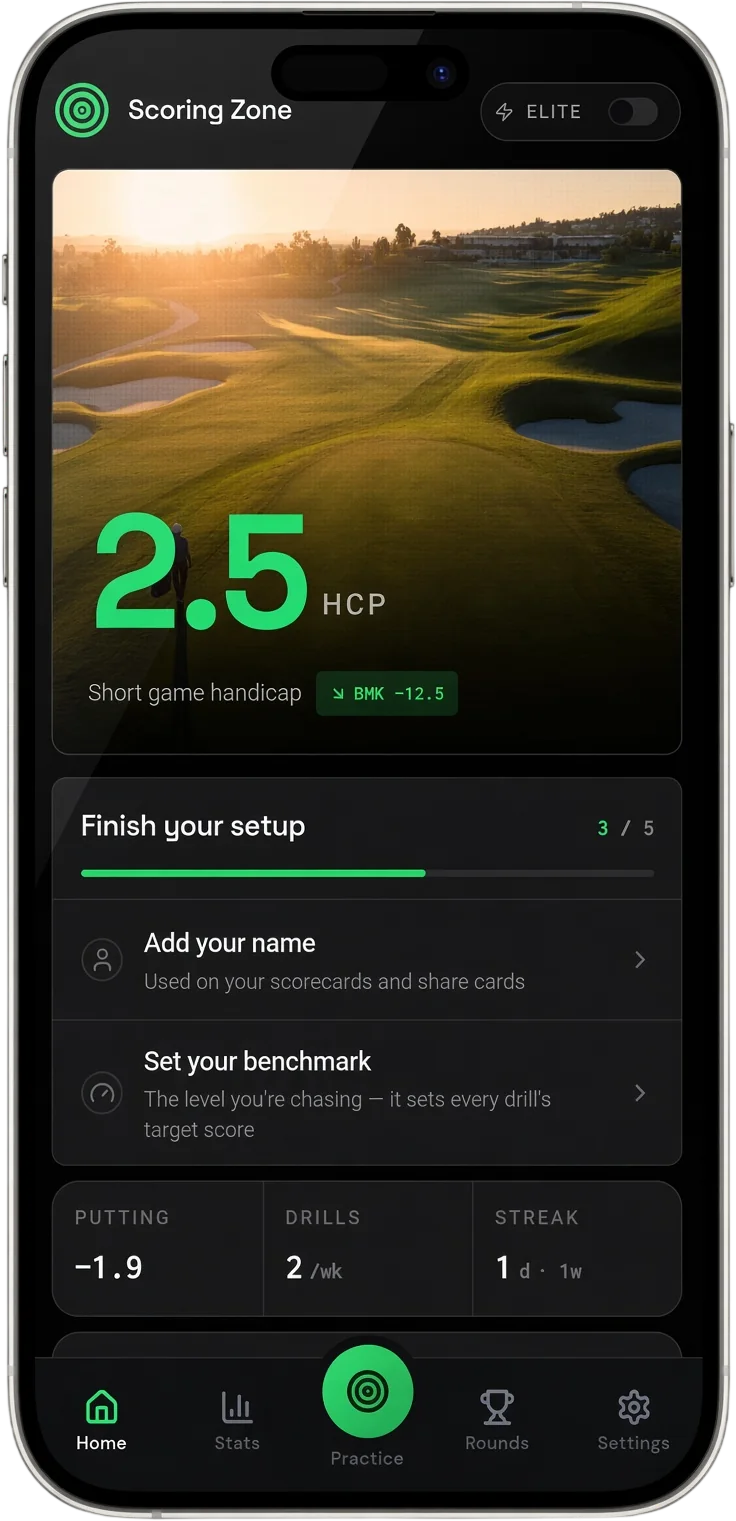
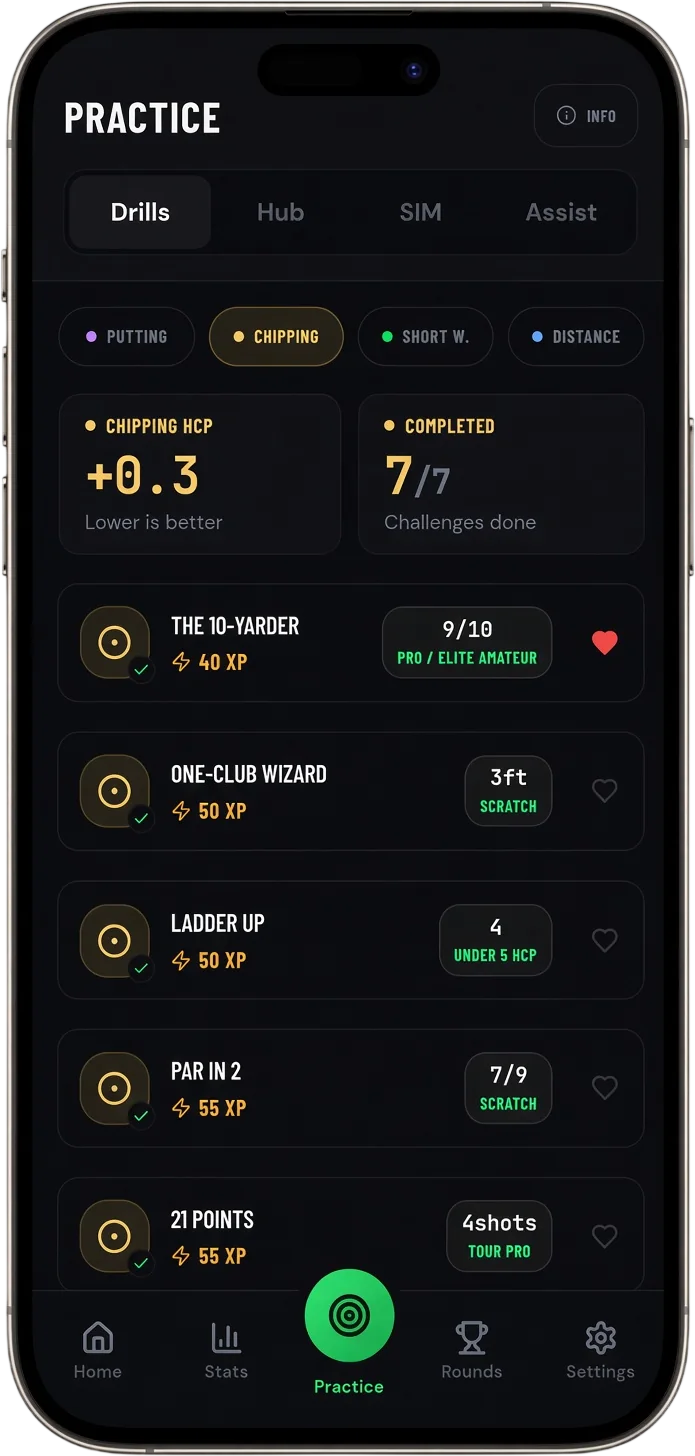
Built specifically for short-game and putting practice. 35+ scored drills across putting, chipping, pitching, bunker play, and distance wedges. The Performance Hub runs a 60-shot assessment and calculates your Short Game Handicap and Putting Handicap, then tells you what to work on next.
The Android install is unusual but actually a strength: it’s a Progressive Web App, so you visit scoringzone.app in Chrome, tap “Install App”, and a native-feeling app appears on your home screen. No Play Store download. Updates happen automatically. The app runs full-screen, works on most Android phones from the last 6 years, and doesn’t bloat with permissions it doesn’t need.
Cost: Free for 7 days (7-day free trial). Best for: Golfers who want to actually drop strokes by practising the right things. Limitations: No on-course GPS or scoring — it’s a practice app, not a round app.
For a deeper look at how the Performance Hub assessment works and the drills behind the Short Game Handicap, see this guide.
How to Use Scoring Zone →Strongest free tier on Android for GPS and scoring. Auto-detects your course, includes basic stats, and has a strong community feature. Practice features are limited compared to the dedicated practice apps, and the GameTracker shot tracking is decent without being elite.
Cost: Free tier covers most needs. Premium is around $99.99/year. Best for: GPS, scoring, casual on-course tracking with social features. Limitations: Practice features feel bolted on rather than built-in.
A solid free GPS app that’s competitive with 18Birdies and Golfshot. Clean Android UI, good course coverage, and a generous free tier. Pro adds advanced stats and Apple Watch–style features, though the Wear OS support has historically been weaker than the Apple Watch app.
Cost: Free tier with paid Pro upgrade. Best for: GPS and scoring on Android with a clean interface. Limitations: Same as 18Birdies — built for the round, not for practice.
GPS-first app that’s been around for years. The free tier is usable. Plus and Premium tiers add coaching content, swing tips, and pro instruction videos — content-heavy rather than drill-heavy. If you like learning by watching rather than scoring, SwingU is fine.
Cost: Free, Plus, and Premium tiers. Best for: Golfers who learn by watching coaching videos. Limitations: Practice content is mostly passive, not scored.
Different category. Both apps need hardware — Arccos uses club sensors, Shot Scope uses a watch (V3) or GPS unit (Pro LX5). Both apps run on Android and provide deep on-course shot tracking. They’re great for diagnosing where you lose strokes during rounds, but neither has structured practice between rounds.
Cost: One-off hardware purchase ($150–$300) plus a small annual fee for Arccos. Shot Scope is mostly subscription-free. Best for: Data nerds who want every shot tracked automatically. Limitations: Hardware-dependent, no practice drills.
For a full comparison of Arccos and Shot Scope on Android, see this guide.
Arccos vs Shot Scope →Because Scoring Zone is a Progressive Web App, the install isn’t through the Play Store. Here’s the exact process:
1. Open Chrome on your Android phone. 2. Go to scoringzone.app. 3. Tap the three-dot menu in the top right. 4. Choose “Add to Home Screen” or “Install App” (the wording depends on your Chrome version). 5. Confirm. The icon appears on your home screen. 6. Tap to launch — full-screen, like a native app, no browser chrome.
The app caches the drill content after the first load, so once it’s on your phone it works in low-signal areas like most practice greens. You can also add it to your phone via Samsung Internet or Brave with similar steps.
Three practical reasons:
- No 200MB Play Store download. PWAs install in seconds and use a fraction of the storage. - Updates happen automatically. No version mismatch, no “you must update before continuing”. - One codebase, same experience as iOS. A lot of native Android golf apps lag behind their iOS versions by 6–12 months. PWAs ship the same version to everyone.
The downsides of PWAs (no Play Store discovery, no push notifications on some Android versions) are real but minor for a practice app. You’re not opening it on the toilet — you’re opening it on the practice green.
Most Android golfers I know who are getting better run two apps:
- For the round: 18Birdies, Hole19, or SwingU (whichever UI you prefer). All free, all do GPS and scoring fine. - For between rounds: Scoring Zone. Scored drills, Performance Hub assessment, Short Game Handicap.
That combination is currently free on Android. The on-course app tells you where strokes leaked during the round; the practice app gives you something specific to work on before the next one. Without both, you’re either practising blind or playing without practising.
For pure short-game and putting practice, Scoring Zone is the strongest free option on Android — it installs as a PWA in 30 seconds, runs full-screen like a native app, and includes scored drills, a Performance Hub assessment, and a Short Game Handicap. For full-swing and on-course play, 18Birdies and Hole19 cover the GPS/scoring side. Most improving Android golfers run one of each.
Yes. Scoring Zone runs as a Progressive Web App (PWA) on Android, which means it installs to your home screen and runs full-screen like a native app — no Play Store download required. The PWA install also works offline once the drills are loaded.
Open scoringzone.app in Chrome on your Android phone. Tap the three-dot menu and choose ’Add to Home Screen’ or ’Install App’. The icon will appear on your home screen and launch the full-screen app. The whole process takes under 30 seconds.
Yes. Scoring Zone is free for 7 days free for 7 days. 18Birdies and Hole19 also offer genuinely useful free tiers for GPS and scoring. Most paid practice apps (Break X, Golf Logic, SwingU Premium) only offer 7–14 day free trials before paywalling the practice features.
7 days free
Then from $4.99/month · Cancel anytime
Start your 7-day free trial
35+ drills & tests · Short Game Handicap · Performance tracking