App Reviews

Best Golf Practice App With Drills: 5 Apps Compared (2026)
What’s scored, what’s free, and which app structures your practice
May 5, 2026 · 8 min read · Stephen Pickering
What’s scored, what’s free, and which app structures your practice
May 5, 2026 · 8 min read · Stephen Pickering
Key takeaway: Most golf apps tell you what you scored. A practice app with drills tells you what to do about it. Scored drills, structured progression and tracking over time are the three boxes any drill app must tick — and most don’t.
Most golf apps tell you what you scored. A golf practice app with drills tells you what to do about it. That difference matters. Around 60% of every round is played inside 100 yards, but most apps barely touch that — they’re built to count strokes, not fix them.
This guide ranks the practice apps that ship with real, structured drills — not just GPS or scoring. We’ll cover what each app’s drill library actually contains, whether the drills are scored, and which one is built specifically for short game and putting practice. If you’ve tried apps that promised drills and delivered three videos and a stopwatch, this list is for you.
A drill library is only useful if it does three things. Before you commit to any app, check it has:
1. Scored drills with benchmarks. A drill without a score is just a chore. You need a target — a number you’re trying to beat, and a benchmark that tells you what “good” looks like for your handicap. 2. Structured progression. Random drills get random results. The best apps order drills from foundational to pressure-based and unlock harder versions as you improve. 3. Tracking over time. A drill you do once is a workout. A drill you do weekly with a chart of your scores is improvement.
If an app fails any of those three tests, it’s a video library, not a practice app.
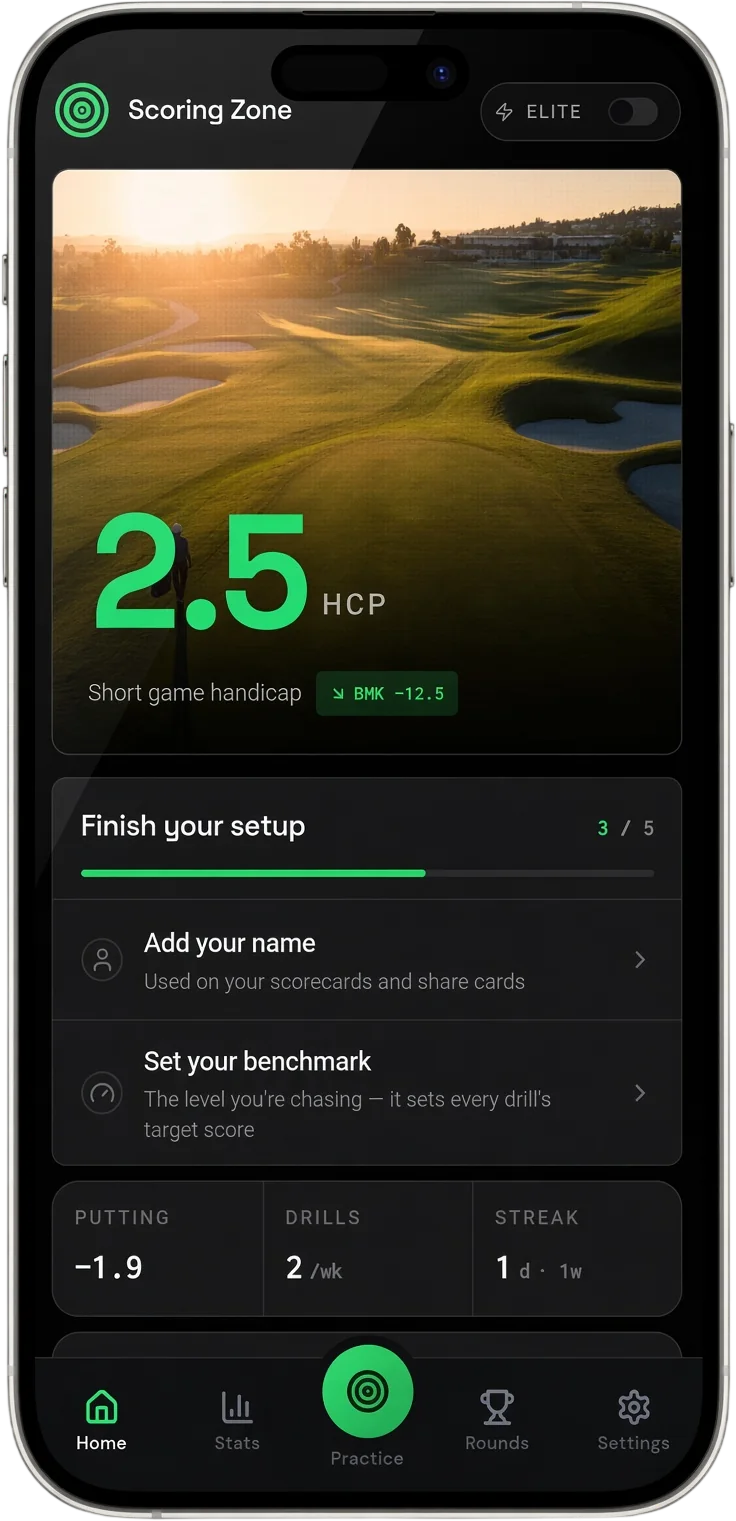
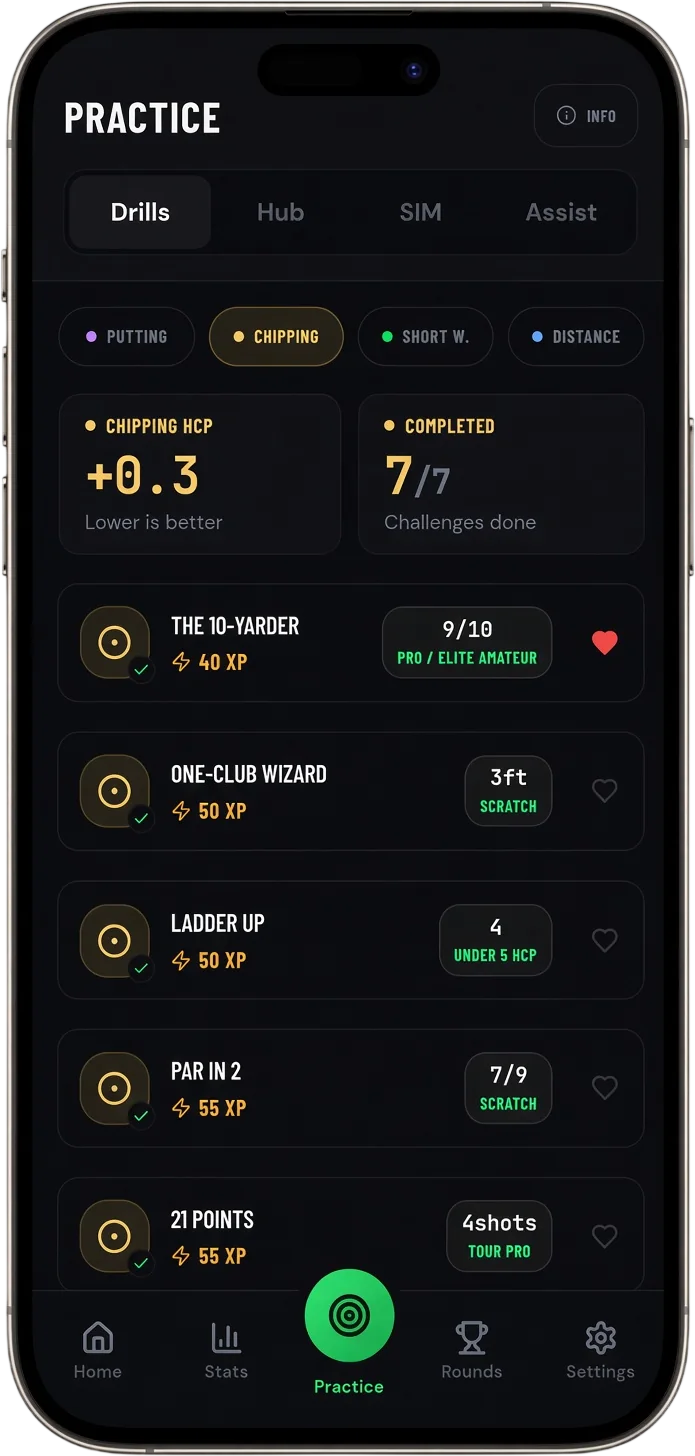
A practice app built around 35+ scored short game drills — chipping, pitching, putting, bunker, and distance wedges. Every drill has a scoring system, a benchmark for your handicap, and an XP system that unlocks harder challenges as you progress.
The drill library covers genuinely structured progressions: the Ten Yarder for foundational chipping, Ladder Up for distance control, Par 2 for chip-and-putt sequences, and Defstar for pressure putting. The Performance Hub runs a 60-shot assessment that calculates your Short Game Handicap and tells you exactly which area to work on next.
What makes it different: every drill is scored against a real target, and your numbers track week by week. You can see whether your chipping benchmark from 10 yards is actually improving — not just guess at it.
Cost: free for 7 days. No card required. Verdict: the best app on the list if your goal is short game improvement.
Scott Fawcett’s app teaches Decade Golf strategy with on-course decision drills. Less of a physical drill library, more of a strategy trainer.
What it does well: forces you to play smarter — aim points, club selection, when to bail out. The “drills” are decision-based, not skill-based.
What it doesn’t do: there’s no putting or chipping drill library. If you came looking for scored short game practice, this isn’t it.
Verdict: brilliant if your problem is bad decisions. Not the right app if your problem is bad chipping.
A small but well-designed iOS app with a focused drill set across putting and short game.
What it does well: clean interface, scored drills, good fundamentals on putting.
What it doesn’t do: limited library, iOS-only, no Android version, no personalisation based on your weaknesses.
Verdict: a fine starter app on iPhone. You’ll outgrow the drill library inside a couple of months.
A drill-based app with 130+ practice games. Around $19 a month.
What it does well: enormous variety. If you get bored quickly, this app has you covered.
What it doesn’t do: no scoring against a personal handicap benchmark — you’re just playing the games. Subscription cost adds up over a year.
Verdict: good for golfers who want a different drill every session. Less good if you want a structured progression that ranks you.
Primarily a GPS and scoring app, with a small drills section bolted on.
What it does well: GPS, scoring, round stats. The drills are useful supplementary content, mostly video-based.
What it doesn’t do: it’s not a practice app. The drills aren’t scored against benchmarks and they’re not the core feature.
Verdict: download for GPS and scoring, not for the drill library.
Want to see the full short game and putting drill library, with scoring and benchmarks?
See Putting Drills →The biggest mistake golfers make with a drill app is treating it like a buffet — trying every drill once and never repeating any of them. That’s not practice, that’s curiosity.
Pick three drills that target your specific weakness — for most amateurs that’s chipping from 10 yards, lag putting from 30 feet, and pressure putting from 5 feet — and run them weekly. Track your scores. After a month, you’ll have hard evidence of whether you’re improving and where you’ve plateaued.
A drill that isn’t scored is just a swing. The whole point of an app is that it builds the score for you, stores it, and shows you the trend. If you stop scoring sessions, you’re back to the same vague “feel” practice that wasn’t working before.
Not sure what to practise first? Build a session around your weakest area, with structured drills.
See How It Works →The drill scores tell you whether your practice is improving. Your round stats tell you whether the practice is transferring to the course. Both matter — drills without rounds are just a hobby, rounds without drills are just hope.
Look for an app that joins both sides up. The score from your last 15-Minute Blitz chipping session should connect to your up-and-down percentage on the course over the next month. If those numbers are moving in the right direction together, the practice is working.
See your up-and-down percentage, putts per round, and short game stats trend across rounds.
Round Stats →Scoring Zone is free for 7 days — no payment required — and ships with the largest scored short game drill library in the category. After that, free options thin out fast: most drill apps either lock the meaningful drills behind a subscription or offer them as videos with no scoring. The combination of free, scored, and structured progression is genuinely rare.
Different jobs. A coach diagnoses the fault and shows you the fix. An app gives you a structured way to practise the fix between lessons. The right setup is both — book a lesson once a quarter, then use a drills app to make sure the work sticks. A coach without practice is wasted money. A drills app without diagnosis is wasted reps.
Yes — most putting drills work on a putting mat, and pressure-based drills like Defstar or the 5-Foot Circle don’t need a real green. Chipping drills need a real short game area. The strongest indoor use is putting; chipping work needs a course or practice area.
Run a short game assessment, find your weakest area, and run scored drills targeting that one area three times a week for a month. Don’t add a fifth drill. Don’t switch focus. Track your numbers. Most golfers who do this drop 2–3 strokes inside 6 weeks because they finally fixed the leak instead of practising what they were already good at.
7 days free
Then from $4.99/month · Cancel anytime
Start your 7-day free trial
35+ drills & tests · Short Game Handicap · Performance tracking