App Reviews
Golf Practice Tracker App: What to Look For in 2026
What Separates a Real Tracker From an Expensive Notebook
April 16, 2026 · 7 min read · Stephen Pickering
What Separates a Real Tracker From an Expensive Notebook
April 16, 2026 · 7 min read · Stephen Pickering
Key takeaway: A practice log confirms you showed up. A practice tracker measures whether it worked. The difference is benchmarks, scored drill results, and session-to-session trend data — none of which most golf apps provide. Most popular apps track rounds, not practice.
Most golfers know they should practise more. The ones who actually improve know something else: what you practise matters more than how long you spend doing it. A golf practice tracker app bridges that gap — it records what you worked on, scores how well you did, and shows you whether you’re getting better over time. But not all practice trackers do all of that. Here’s what separates a genuinely useful app from an expensive notebook.
A basic practice log records that you spent 45 minutes on chipping. That’s useful — but it tells you nothing about whether those 45 minutes moved the needle.
A genuine practice tracker records scored results: how many chips finished inside 3 feet, how many lag putts stopped within the zone, how your proximity average compared to last session. The distinction is everything. Logging confirms effort. Tracking measures improvement.
If your app only confirms you showed up, it’s a practice log — not a practice tracker.
Hitting 30 putts without a target tells you nothing. Hitting 30 putts against a benchmark — say, 8 out of 10 lag putts inside 3 feet — gives you a pass/fail that connects directly to on-course performance.
The best practice tracker apps include built-in benchmarks scaled to your level. That way you’re not inventing your own targets or comparing yourself to tour standards that have nothing to do with your handicap.
Single-session results are noisy. A score of 7/10 might be a good day or a lucky one. Session-to-session trends are the signal. If your lag putt proximity has improved across 8 sessions, that’s real progress. If it’s flat despite regular practice, something isn’t working and you need to change approach.
An app that shows trend data across sessions is doing what a coaching notebook never could.
Want to see how your short game results trend over time alongside your round data?
See Practice Tracking Features →Arccos and Shot Scope are both excellent at what they do: tracking every shot on the course automatically. You get strokes gained data, proximity averages, and round-by-round trends. But neither is a practice tracker. They record what happened during a round — they don’t structure what happens on the practice green beforehand.
If you’re using Arccos to identify that you’re losing 2.5 strokes per round around the green, that’s valuable information. But the app can’t tell you which drills to do, run a scored chipping session, or track whether your practice fixed the problem.
Both apps have added practice-related features over time — stat tracking, drill suggestions, practice reminders. But practice is secondary to their core GPS and scoring functions. The drill libraries are shallow and the benchmarking is minimal.
If you want a GPS app that also logs practice sessions loosely, these work fine. If you want dedicated structure, scoring, and session-to-session trend data, they fall short.
A small category of apps treats practice as the main feature, not an afterthought. These apps offer structured drill libraries, scored results, session history, and benchmarks calibrated to handicap. The tradeoff: they don’t replace your GPS app on the course. They’re tools for between rounds — which is where improvement actually happens.
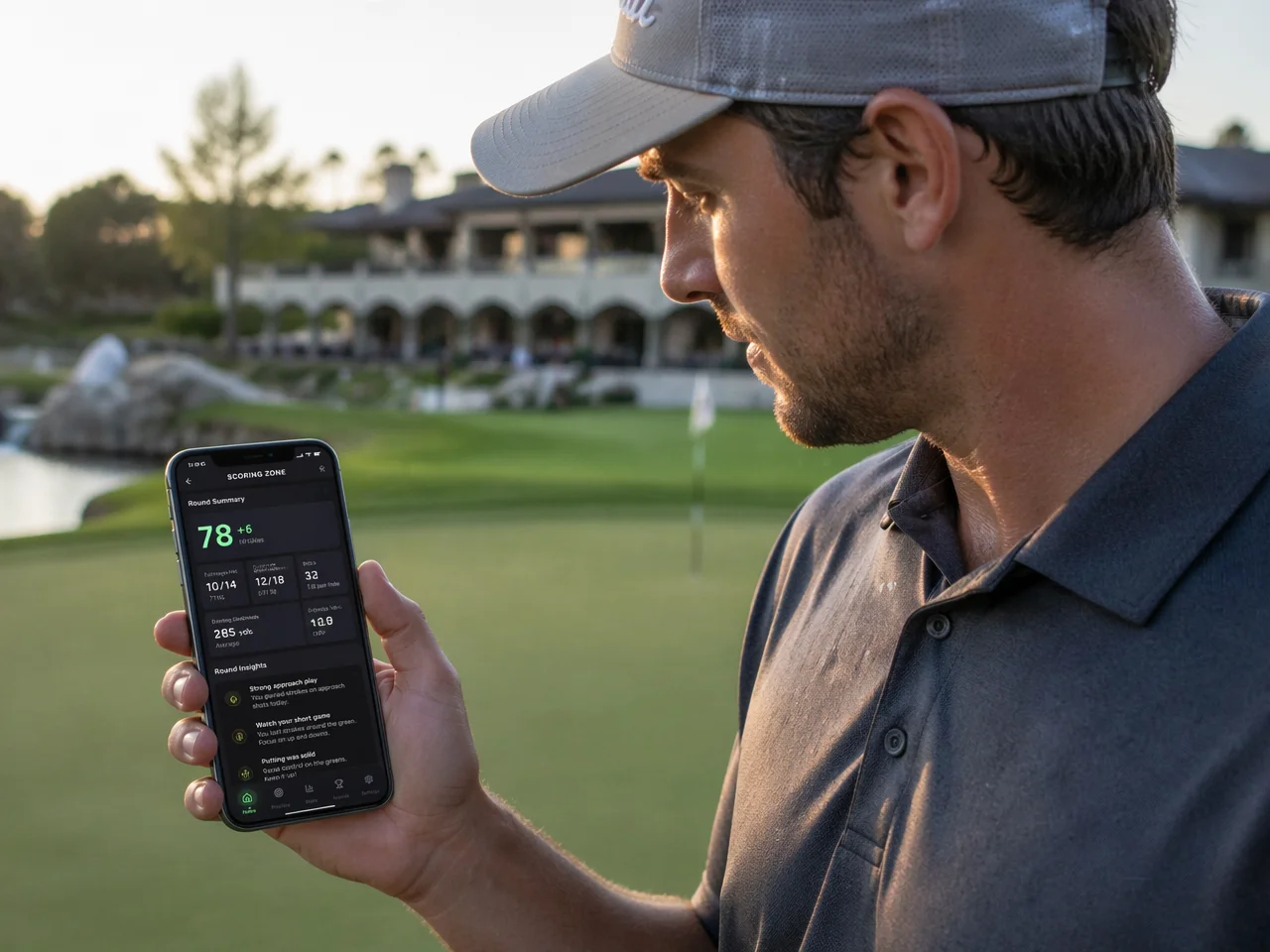
Scoring Zone tracks every drill result automatically — scores, proximity, streaks — and ties practice performance to round stats so you can see whether your practice sessions are converting to better numbers on the course.
Already tracking your rounds? Connect your on-course data to your practice results.
See Round Stats →A good practice tracker should cover all areas of the short game — putting at multiple distances, chipping from different lies, pitch shots, and bunker play. If the app only covers one category well, you’ll outgrow it quickly.
Also look for structured progressions. Randomising drills each session has its place, but a deliberate improvement plan moves from foundational to pressure-based. Apps that offer both are more versatile.
Practice is easier to sustain when there’s something at stake. Apps that use XP systems, streaks, and progression unlocks keep you coming back because there’s a clear reward for consistency — not just abstract improvement.
This is especially true for golfers who practise alone. A streak you don’t want to break is more powerful than a reminder notification.
Check what the free tier actually includes before committing to a subscription. Some apps gate their most useful features immediately. Others give you enough to properly evaluate the product before asking for payment.
Scoring Zone gives you 7 days free — all features, no credit card required to start. You can run a full Performance Hub assessment, use the entire drill library, and track sessions across weeks without paying anything.
Yes. Some apps log what you practised and for how long. Others go further — scoring your drills, tracking your results over time, and showing you whether you’re actually improving. The difference matters: a log tells you what you did; a tracker tells you whether it worked.
At minimum: drill logging, session history, and performance benchmarking. The best apps also track scored results over time — so you’re not just noting that you practised putting, but recording whether your proximity averages and make rates are improving across sessions.
No. Most popular golf apps — Arccos, 18Birdies, Shot Scope — focus on on-course tracking. They tell you what happened during a round. Very few structure and track practice sessions between rounds, which is where handicap improvement actually happens.
Track scored results session to session. If you’re practising lag putting, record how many finish within 3 feet each time. Benchmarks give you objective data. Without them, it’s impossible to know whether your practice is working or just comfortable.
Stephen Pickering
3-handicap golfer with 25 years on the course. Built Scoring Zone to bring structure and pressure to short game practice. Writes about what actually works from the practice green, not the press box.
Scoring Zone scores every drill, tracks every session, and shows you exactly where your game is improving — and where it isn’t. Join golfers already using structured practice to lower their handicap.
Download Scoring Zone Free →Full access to all drills, stats, and features. No credit card required — then from $4.99/month.
Get Scoring Zone Free →