App Reviews

Best Golf App for Beginners 2026: An Honest Comparison
What New Golfers Actually Need vs What They’re Sold
April 25, 2026 · 8 min read · Stephen Pickering
What New Golfers Actually Need vs What They’re Sold
April 25, 2026 · 8 min read · Stephen Pickering
Key takeaway: Beginners need 2 apps, not 1. A free GPS app for the round (18Birdies) and a free practice app for between rounds (Scoring Zone, free for 7 days). Skip Premium subscriptions, sensor-based trackers, and AI swing analysis — you don’t have the consistency yet to act on advanced data. Free + free covers your first 100 rounds.
Search “best golf app for beginners” and you’ll get a hundred listicles selling you Premium subscriptions you don’t need yet. Most of them are written by affiliate marketers who haven’t taught a beginner in their lives.
This one’s different. It covers what new golfers actually need in their first year, what’s overkill, and which combination of (mostly free) apps will help you improve fastest. Spoiler: you need two apps, not one. Both have free tiers that cover everything a beginner needs.
Sounds basic. It is. But it matters because it gives you a number. A round-by-round number is what tells you whether you’re improving — and at the start of golf, you’ll need that motivation. Watching scores drop from 110 to 95 over six months is what keeps people coming back.
You also want yardages — distance to the front, middle, and back of the green — because course management is the easiest place for beginners to save strokes without changing their swing.
Round tracking shows you what happened. It doesn’t tell you how to fix anything. For that you need a practice app — somewhere with structured drills you can run on the practice green or at home, with a scoring system that tells you whether you’re getting better.
This is the part most “best golf app for beginners” lists ignore. They send you to GPS apps and stop there. The GPS app is half the equation. The practice app is the other half.
Beginners shouldn’t pay for golf apps. Your improvement curve is so steep that the difference between a basic free tier and a Premium AI-caddie subscription is irrelevant. You don’t have the consistency yet for the advanced data to mean anything. Use the free tier for a year. Revisit when you’ve broken 90.
This is the one to start with. Why:
- Free tier covers everything a beginner needs — yardages, scorecard, basic stats, group rounds - Most polished UI in the GPS category — beginners need an app that doesn’t add friction - Biggest course database — 40,000+ courses worldwide, so it works wherever you play - Social features — group leaderboards, badges, streaks. Whether you love or hate gamification, it keeps beginners engaged in a hobby that has a steep learning curve.
The Premium tier adds AI caddie features and deeper stats. Don’t bother yet — those features are designed for golfers with 50+ rounds of data. You don’t have that yet.
Golfshot is the alternative if you find 18Birdies’ badges and feeds annoying. Cleaner, more minimal, fewer features in the free tier. Good for the “just give me yardages” beginner.
TheGrint matters if you want a USGA-compliant Handicap Index without joining a club. Most beginners don’t need this in year one — your handicap will swing wildly anyway. Add TheGrint when you’re consistently breaking 95 and starting to play in casual competitions.
For a deeper head-to-head of the three, see this honest comparison.
18Birdies vs Golfshot vs TheGrint →The other half of the puzzle. Scoring Zone is built around the same principle that drops a beginner’s scores fastest: structured short game practice with scored drills.
Why it fits beginners:
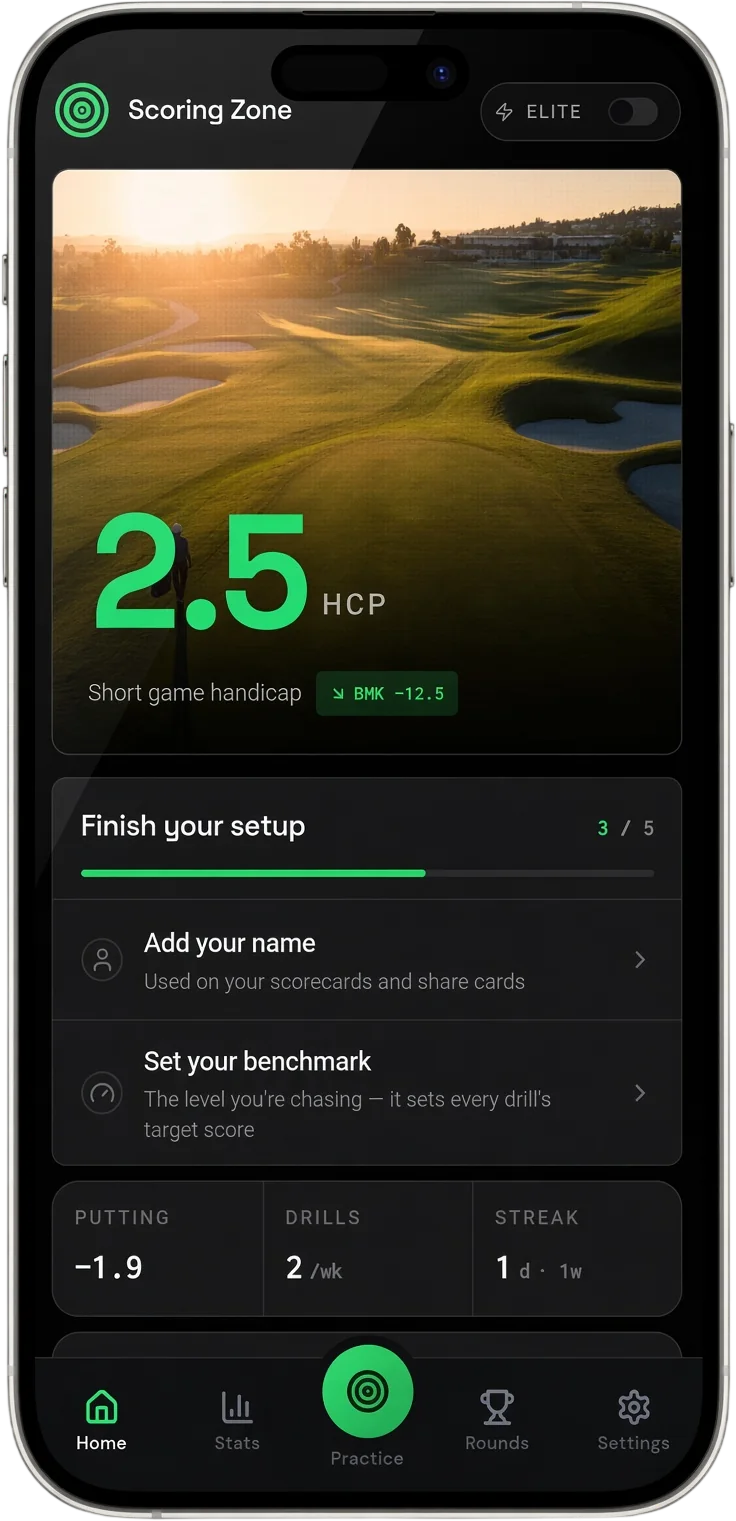
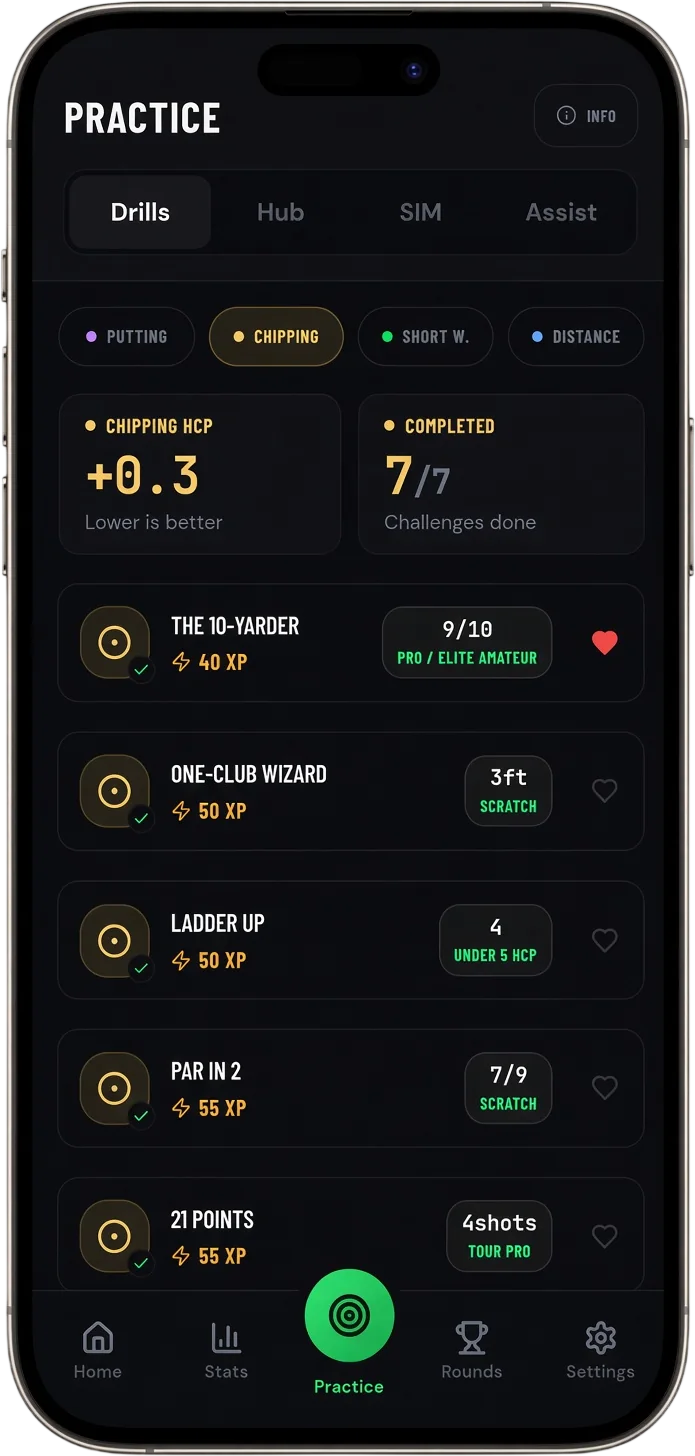
- 35+ scored drills for chipping, pitching, putting, and bunker play — the parts of the game where new golfers lose the most strokes - Benchmarks for every handicap level — including 30+ — so you can see what “average for a beginner” looks like and beat it - Performance Hub assessment generates a Short Game Handicap so you have a number to track that’s separate from your overall score - Free for 7 days — full feature access
The reason this matters for beginners: a typical beginner shoots 105–115. About 60% of those strokes come from inside 100 yards. If you spend even 30 minutes a week on scored short game practice, you’ll drop into the 90s faster than any range routine.
Apps like SwingU, Golf Genius’s coach features, or YouTube videos play a role — they’re useful for learning the basic mechanics in your first few months. But video alone doesn’t transfer to the course. You can watch 100 chipping tutorials and still chunk it on the second hole. The transfer happens through scored repetition with feedback. That’s what a practice app does.
Use video for understanding the move. Use a practice app for grooving it.
This is the answer for 95% of beginners.
- 18Birdies handles the on-course experience — yardages, scorecard, stats, the social side - Scoring Zone handles the off-course improvement — scored drills, Short Game Handicap, session-to-session tracking
Total cost: zero. Total app store space used: about 200MB. You can carry this combo through your first 100 rounds and not need anything else.
When do you upgrade? Probably never as a beginner. If you cross into single figures (under 10 handicap) and want strokes-gained-level analytics, look at Arccos or Shot Scope — but that’s a 2-3 year horizon for most golfers, not a beginner concern.
Just starting golf? See the full beginner’s guide to the game.
How to Play Golf: A Beginner’s Guide to the Basics →Most of the “Premium” features in golf apps — AI caddies, deep strokes-gained analytics, advanced stat dashboards — are designed for golfers with consistent enough play to make the data meaningful. A beginner whose drives go anywhere from 200 yards to a duck-hook into the next fairway can’t act on a “your average dispersion is 28 yards” data point. The data is too noisy.
Save the £60–£120/year. Spend it on a lesson with a PGA pro or a half-set of decent clubs.
Arccos and Shot Scope are excellent for the right golfer. They’re not the right golfer when you’re a beginner. Spending £200+ on sensors before you can break 100 is buying analytics you don’t yet have the consistency to use. Wait.
Some apps now offer AI swing analysis from a phone video. The technology is improving but it’s nowhere near a coach. As a beginner, you’ll get more from one in-person lesson with a PGA pro than from 12 months of AI swing analysis. Save AI for after you’ve grooved the basics with a human.
Beginners actually need two apps, not one. A free GPS/scoring app for the round (18Birdies is the most polished free option) and a practice app for between rounds (Scoring Zone is free for 7 days and built around scored drills). Combined, that covers what you need in your first year — without paying for premium tiers you won’t use.
18Birdies for beginners — the free tier is more polished, the social features keep you engaged, and the course database is bigger. Golfshot is cleaner if you don’t want gamification, but its free tier is more limited. For new golfers learning the game with a regular four-ball, 18Birdies is the better default.
No. Free tiers cover everything a beginner needs in their first year. Premium subscriptions add stat depth and AI caddie features that are wasted on a 100+ shooter — you don’t have the consistency yet to act on the data. Use the free tier for a year, then revisit if you’ve broken 90 and want deeper analytics.
Short game practice. Beginners typically lose 10+ strokes per round to chunked chips, three-putts, and bunker disasters. A practice app with scored drills (chipping inside 3 feet, lag putting within 3 feet of the hole, basic bunker entry) drops scores faster than any range time or coaching lesson in the first six months. The full swing matters less than you think.
7 days free
Then from $4.99/month · Cancel anytime
Start your 7-day free trial
35+ drills & tests · Short Game Handicap · Performance tracking